
Parameter reference
Every parameter of every module, with its default and range.
All parameters are set in a Material Instance of M_Kuwahara_Master, grouped by module.
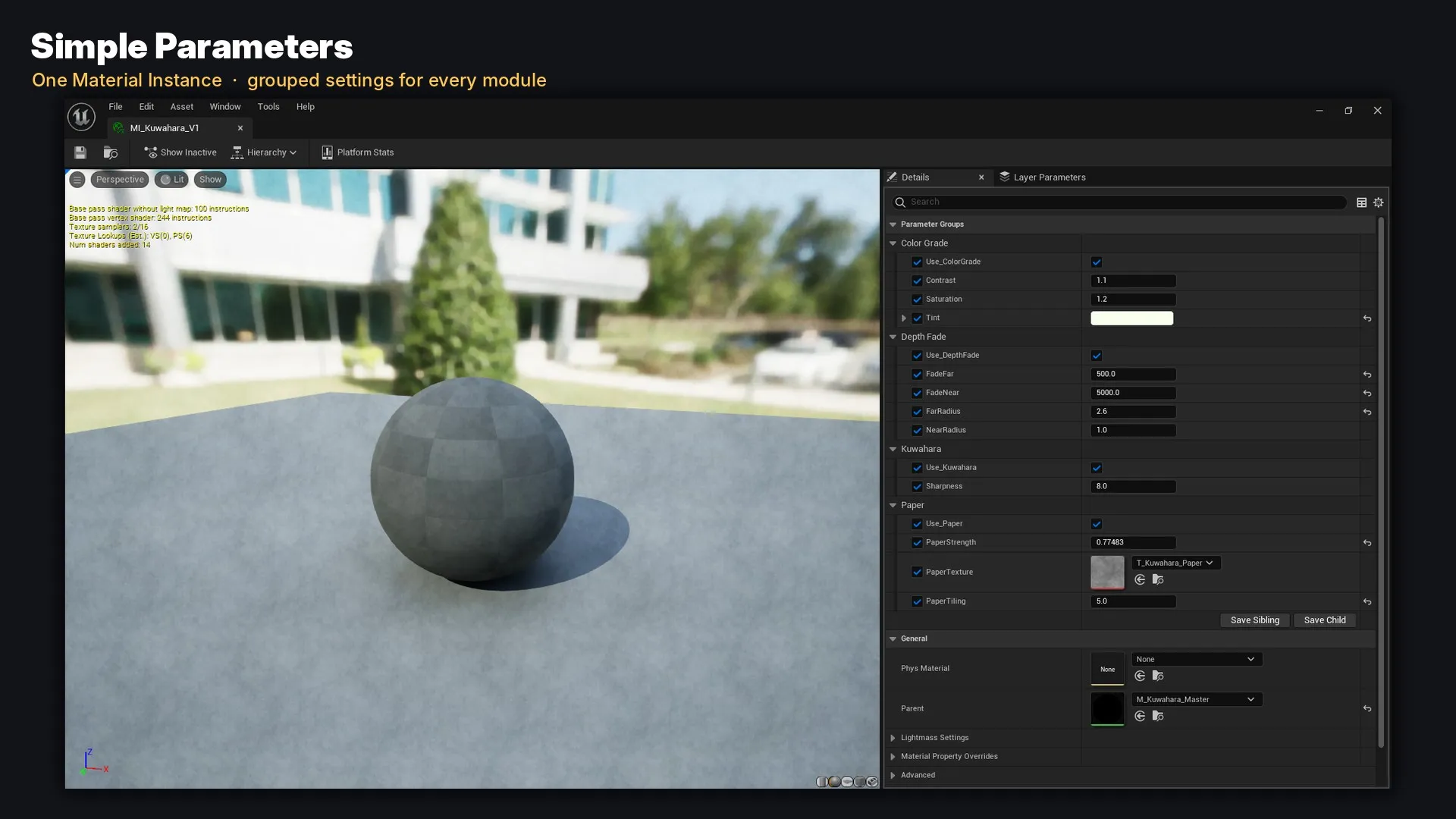
Kuwahara
| Parameter | Type | Default | Range | Description |
|---|---|---|---|---|
Use_Kuwahara |
Static Switch | true | — | Turns the painterly filter on/off |
Radius |
Scalar | 4 | 0 – 8 | Brush size in pixels. 0 = original image. Used when Depth Fade is off |
Sharpness |
Scalar | 8 | 0 – 16 | How strongly the calmest region wins. Lower = softer, higher = sharper / more classic |
Depth Fade
Depth Fade controls the brush size of the Kuwahara module, so Use_Kuwahara must also be on.
| Parameter | Type | Default | Range | Description |
|---|---|---|---|---|
Use_DepthFade |
Static Switch | false | — | When on, brush size comes from distance instead of Radius |
FadeNear |
Scalar | 500 | 0 – 10000 | Distance (cm) where the near brush size is used |
FadeFar |
Scalar | 5000 | 100 – 50000 | Distance (cm) where the far brush size is reached |
NearRadius |
Scalar | 1 | 0 – 8 | Brush size up close (0 = keep near objects sharp) |
FarRadius |
Scalar | 6 | 0 – 8 | Brush size in the distance |
FadeNear must be smaller than FadeFar. Distances are in Unreal units (1 unit = 1 cm), so 500 = 5 m and 5000 = 50 m.
Color Grade
| Parameter | Type | Default | Range | Description |
|---|---|---|---|---|
Use_ColorGrade |
Static Switch | true | — | Turns color grading on/off |
Saturation |
Scalar | 1.2 | 0 – 2 | 0 = black & white, 1 = original, > 1 = more vivid |
Contrast |
Scalar | 1.1 | 0.5 – 2 | Contrast around mid-grey (HDR safe) |
Tint |
Vector | (1, 0.97, 0.9) | color | Multiplies the final color. White = no tint |
Paper
| Parameter | Type | Default | Range | Description |
|---|---|---|---|---|
Use_Paper |
Static Switch | true | — | Turns the paper overlay on/off |
PaperTexture |
Texture | T_Kuwahara_Paper |
— | Any grayscale tileable texture (mid-grey = no change) |
PaperTiling |
Scalar | 3 | 0.5 – 10 | How many times the texture repeats across the screen height |
PaperStrength |
Scalar | 0.25 | 0 – 1 | Strength of the grain |